5 Reasons Cummins Insite Pro is a Great Choice for Your Shop
As an owner-operator, a fleet manager, or a large shop owner, you know the importance of having reliable diagnostic software that can help you quickly diagnose and troubleshoot problems with your Cummins engines. That’s where Cummins Insite Pro diagnostic software comes in. Not only is it easy to use, but it also offers a range […]
Discover Why Cummins Insite Lite Software is a Great Bargain
As a truck owner or operator, you understand the importance of routine maintenance and diagnostics. Without properly functioning equipment, you can quickly lose profits and business. With the cost of truck payments, maintenance and fuel, it’s critical to keep your truck up and running. Fortunately, Cummins Insite Lite diagnostic software is available to make this […]
Why Cummins Insite is the Best Diagnostic Program You Can Download

In the world of diesel engines, Cummins is known as one of the leading manufacturers. Their engines can be found in heavy-duty applications such as medium / heavy duty trucks, mining trucks, construction equipment and more. And where there is a powerful engine, there must also be a powerful diagnostic tool. That’s where Cummins Insite […]
Cummins Insite 8.7 Release Notes

You may have noticed in recent days that Cummins officially released their newest version of Insite: 8.7. With the release of Insite 8.7, quite a few things have changed. In this brief article we’ll go over what’s new, what’s changed, and what to expect when updating to Cummins Insite 8.7. New Diagnostic Tests Aftertreatment Diesel […]
Is Your Cummins Insite Opening Slowly?
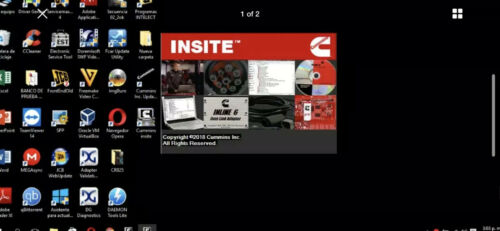
Are you frustrated with how long it takes your Cummins Insite program to open? Well, you’re not alone. Over 90% of technicians frequently experience long load times when opening up or using Cummins Insite. It takes so long to open up that some technicians have even started leaving it open all day, even when not […]
Downloading ECM Calibrations Using Cummins Insite and QuickServe Online (QSOL)
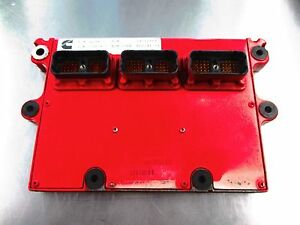
The following information contains a step-by-step guide that will show you exactly how to download ECM calibrations using Cummins Insite and QuickServe Online. For frequently asked questions and troubleshooting tips, see the final section. ________ Changes have been made to the Calibration Download interface to include Aftertreatment Doser calibrations, Next Generation Cense calibrations, and Dual […]
A New Reason to Ditch Windows 7

Support for the Windows 7 operating system officially ended on January 14, 2020. What does that mean? and more importantly, how does that affect YOU? Every time Windows releases an operating system, they commit to “support” it for the several years after. The more popular the operating system is, the longer they’ll offer support for […]
Cummins Insite Pro Trade Tips and & Info — Enable/Disable Capabilities
From time to time we get questions regarding the Cummins Insite software capability. The latest question that came through was in regards to the enable/disable capabilities of Insite Pro. The answer we received from Cummins was that the only changes you can make with Insite pro for enable/disable would be in the features and parameters […]
How To Add an ECM Connection in Cummins Insite

Adding a new ECM connection in Cummins Insite is a really simple and straightforward process. Getting Started Click on connection Select “Add New…” A dialog box for the ECM Connection Wizard should pop up Click “Next to continue. Adding a New Connection Select appropriate connection: Auto Configure, RP1210, or Simulator Click “Next” to continue Auto […]
Cummins Releases INSITE 8.6

This pas week Cummins has announced that INSITE version 8.6 has officially been released. The new update adds the ability to perform more diagnostic tests, adds new advanced ECM data, and many additional popularly requested features. In this article we will break down all the new additions that have been made available in version 8.6. […]