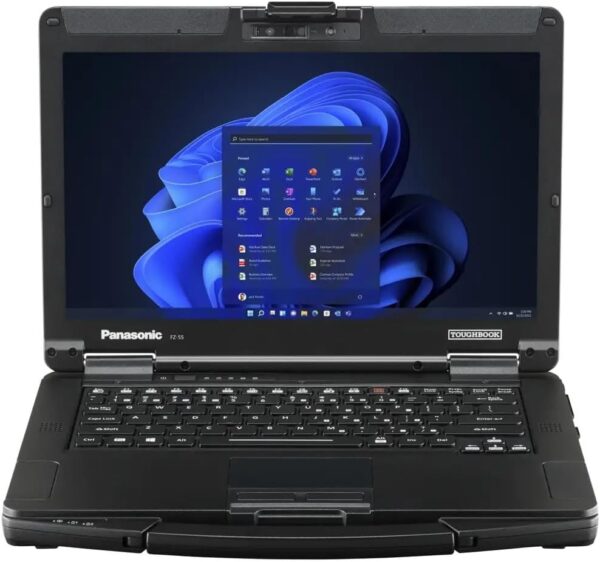
Hino DX2 Laptop Bundle with Panasonic Toughbook FZ-55
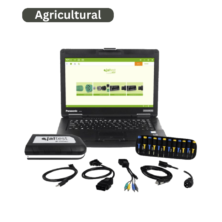
This purchasable bundle pairs Hino DX2 diagnostic software with a refurbished Panasonic Toughbook FZ-55 MK1 laptop. A one-year Hino DX2 license is preinstalled on the supplied laptop and ready to use. The software is not offered as a standalone purchasable item on this listing.
Included laptop
- Model: Panasonic Toughbook FZ-55 MK1
- Condition: Refurbished
- Display: 14-inch HD (1366 × 768), non-touch
- Processor: Intel Core i5-8365U, up to 4.1 GHz
- Memory: 32 GB RAM
- Storage: 1 TB SSD
- Connectivity: 4G LTE
- Camera: Webcam
- Operating system: Windows 11 Pro
Fulfillment: Please allow approximately one week before shipment. This is a preparation estimate, not a guaranteed delivery date.
Arrival damage: If the laptop arrives damaged, contact us within 7 days for assistance.
Before purchasing, you are responsible for verifying that you have the correct compatible interface adapter and cables for your equipment. Neither is included with this package.
Hino DX2 Diagnostic Software (2005-Present)
This program requires a compatible interface such as a Nexiq USB-Link via an OBD2 (16-pin) interface cable. Coverage in this listing is for 2005–present model-year Hino trucks distributed throughout the United States and Canada only.
Diagnostic/Troubleshoot/Customization
The Hino DX2 program is offered here for 2005–present model-year Hino trucks distributed in the United States and Canada only.
Troubleshooting:
- Reading DTCs
- Diagnostic and Troubleshooting workflow
- Check and Activation Tests for engine components
- Data Monitor function for recording engine/system operation
Customization:
Configure user specific features such as:
- Idle Shutdown
- PTO settings
- Vehicle/Cruise Speed settings
- Engine Protection settings
- Maintenance Intervals
- System Protection data reset
- Special Learning for new engine components
- Injector Calibration Codes
- Reset DPR system related memory
- Reset SCR system related memory
Setting:
- Print setting
- Communication/Interface setting
- Language setting
- Unit setting
- View setting
Past Work Information:
- DTC reports
- Vehicle Information reports
- Diagnostic Workflow reports
Before starting up the HINO-DX, check the connection of the cable between the vehicle/PC and turn “ON” the starter key S/W of the vehicle.
System Individual Function
System individual function is the function of check and adjustment established by each system and ECU and it will be shown only when you conduct diagnosis of the specific system. For example, individual function for the DPR (Diesel Particulate active Reduction) built-in engines will be shown on the Menu when you diagnose the engines with it. However for engine without it, this will not be shown on the Menu. And for general
engines, there is an input function of the injector calibration but this will not be shown when you diagnose equipment other than the engine. Usually what the Hino-DX can perform, offers a single a function such as data monitor which checks the status of each sensor and actuator, and active a test to activate actuator and lamps. When you carry out a complicated operation, you need to make a complicated setup.
Note: When communication between the Hino-DX and ECU cannot be established and the DTC cannot be read for some reason as no DTC is recorded to the ECU, the reason will be displayed. If you do not carry out System Fix, the target equipment cannot be fixed and you cannot conduct Diagnosis further. And even if the DTC cannot be read from the ECU, if you don’t carry out System Fix, data monitoring and injector calibration cannot be executed